DigitalPianistSynths
.jpeg)

Pro Gear Advisers
•866-498-7882


Open Box
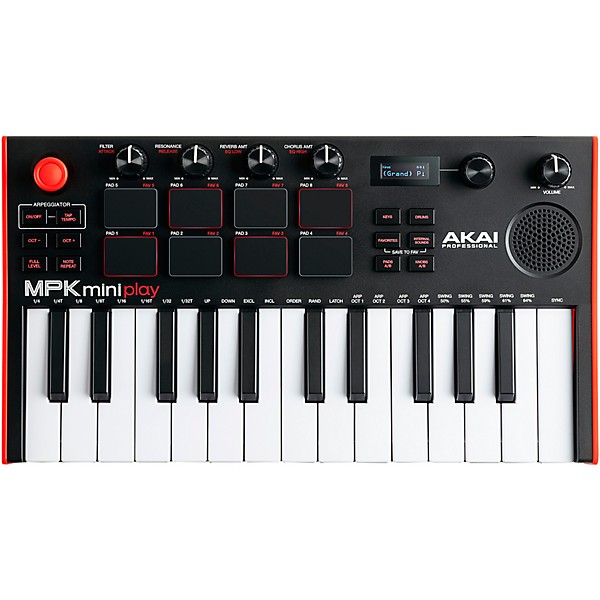
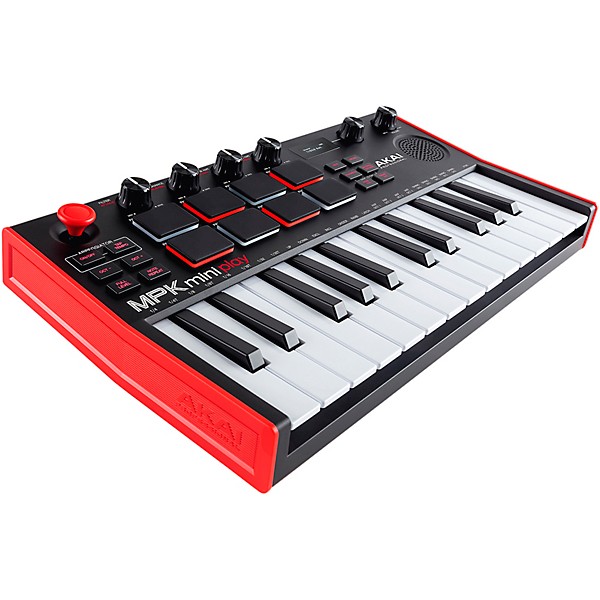
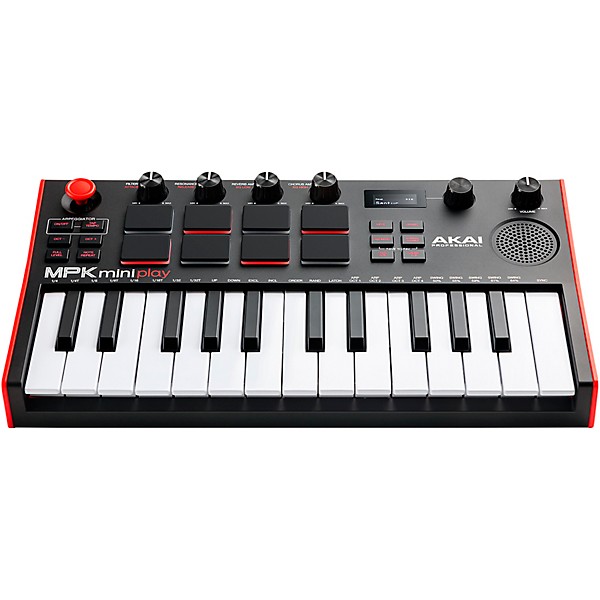
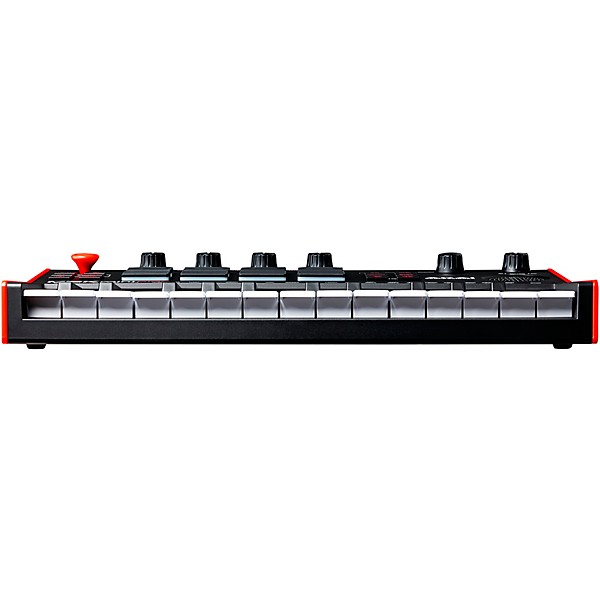
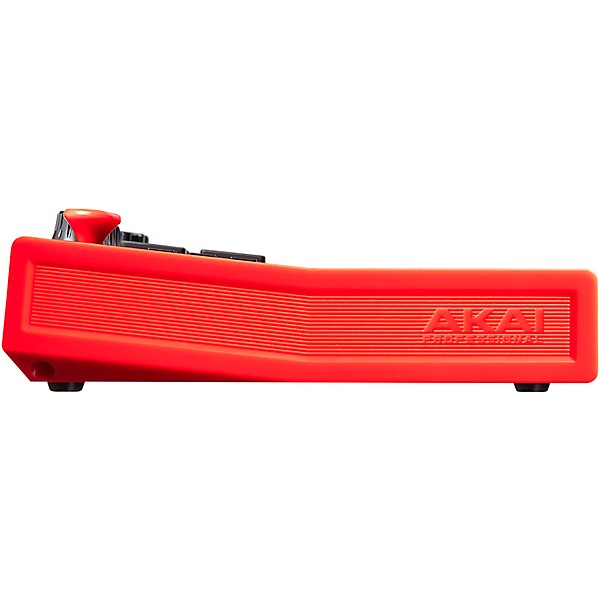
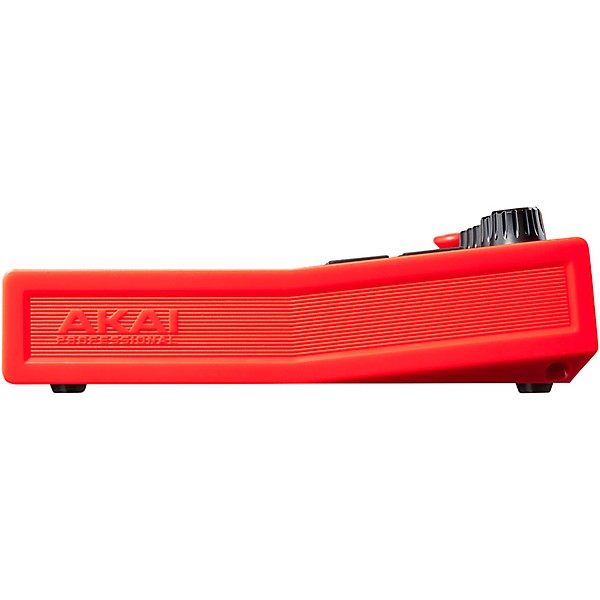
Open Box Akai Professional MPK Mini Play mk3 Mini Controller Keyboard with Built-in Speaker Level 1
Condition:Open Box - Like New
$113.52
6-month special financing^ + $5 back in Rewards** Limited time
Pay in 4 interest-free payments of $28.38

Protect your gearLearn more
Cover drops, spills or cracks with Pro Coverage

Need Help?
Videos (4)
View All
Akai Pro & Native Instruments | Seamlessly Integrated

MPK mini play mk3 | Play Music Anywhere
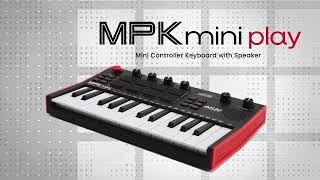
MPK mini play Keyboard & MIDI Controller

How To Setup Your MPK mini play
Description
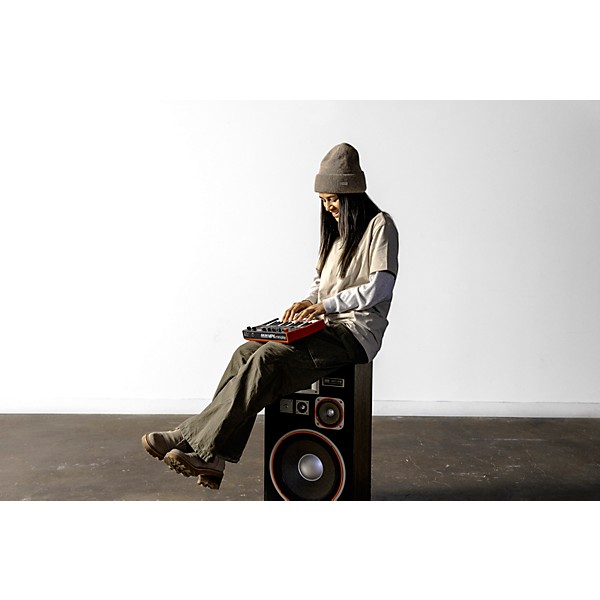
Some musical ideas arrive in studios—others happen on a couch, backstage, in a hotel room or wherever inspiration strikes. The Akai Professional MPK mini Play mk3 keyboard controller is designed to keep creativity within reach with a compact, battery-powered design that combines standalone playability with versatile MIDI control. Equipped with an upgraded Gen 2 keybed, built-in speaker system and more than 128 onboard instrument and drum sounds, the MPK mini Play mk3 allows you to sketch melodies, build rhythms and practice anywhere without external gear. Enhanced MPC pads, assignable controls and plug-and-play DAW compatibility further expand its production capabilities, making it equally comfortable as a travel-friendly songwriting tool or compact studio controller.
Portable Design With Built-In Sounds and Speaker
The MPK mini Play is built for music creation on the move, offering more than 14 hours of battery-powered operation using four AA batteries. Its upgraded internal speaker system delivers increased output and improved low-end response, making onboard sounds fuller and more usable for casual playing, practice sessions and songwriting. With over 128 built-in instrument and drum sounds—including acoustic pianos, synth leads, pads and percussion kits—you can create music anywhere without connecting to a computer or external speakers.
Gen 2 Keybed for Responsive Playability
At the center of the MPK mini Play mk3 is an upgraded Gen 2 keybed designed to provide improved velocity response and a more natural playing feel. The 25 velocity-sensitive mini keys support expressive melodic performance while maintaining the controller’s compact footprint. Ten octave ranges, controlled via dedicated octave buttons, extend the available note range and allow you to access bass lines, leads and chords from a portable layout.
MPC Pads and Hands-On Performance Controls
Eight velocity- and pressure-sensitive MPC-style pads provide responsive triggering for drums, samples and melodic elements. The backlit pads support two banks for expanded control and are designed to deliver the feel and response associated with Akai’s MPC workflow. Additional performance tools including Note Repeat, Full Level, Tap Tempo and an integrated pitch/mod joystick make it easier to shape rhythms and add expression during live play or beat creation.
Flexible MIDI Control and DAW Integration
With class-compliant USB connectivity, the Akai Professional MPK mini Play functions as a plug-and-play MIDI controller for Mac and PC systems without requiring additional drivers. An onboard OLED display provides visual feedback for sound selection and parameter adjustments, while four assignable rotary knobs allow hands-on control of effects, automation and mixing functions within your DAW. This flexibility makes the controller suitable for a wide range of production environments, from quick songwriting sessions to more detailed editing and arrangement work.
Compact Music Creation for Anywhere Inspiration Strikes
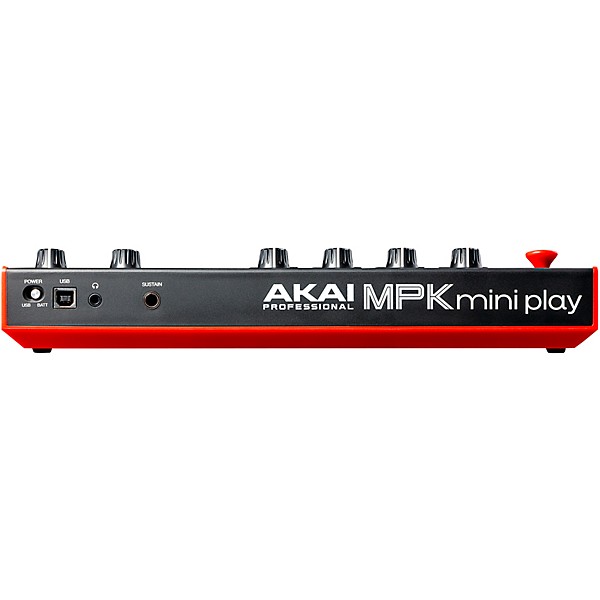
Lightweight and travel-friendly, the MPK mini Play is designed to fit easily into backpacks and portable production setups without sacrificing creative functionality. A built-in headphone output supports private practice and late-night production, while sustain pedal compatibility adds further expressive control. Combining standalone sound generation, responsive playability and streamlined MIDI integration, the Akai Professional MPK mini Play mk3 keyboard controller offers an adaptable solution for musicians and producers who want to create music wherever inspiration strikes.
Akai Professional MPK mini Play mk3 25-Key Keyboard Controller: FAQ
How do you use the Akai MPK mini Play mk3?
Connect the MPK mini Play mk3 to your computer or compatible device via USB, then select it as a MIDI controller in your music software. You can use the keys, pads and knobs to control virtual instruments, trigger samples and record MIDI performances.
How do you set up the Akai MPK mini Play mk3 with FL Studio?
Open FL Studio, go to MIDI settings, and enable the MPK mini as both an input and controller device. Once connected, the pads and knobs can be mapped to drum racks, mixer controls and plug-ins for hands-on production control.
How do you use the Akai MPK mini Play mk3 with Cakewalk?
Connect the controller via USB and enable it in Cakewalk’s MIDI Devices settings. After assigning it as an active MIDI input, you can use it to play software instruments, record MIDI tracks and control compatible parameters.
Can you use the Akai MPK mini Play mk3 with an iPad?
Yes. The MPK mini Play mk3 can work with iPads using a compatible USB adapter or USB-C connection depending on the model. Some setups may require external power or a powered USB hub for stable operation.
Does the MPK mini Play mk3 have built-in sounds?
Yes. Unlike standard MIDI-only controllers, the MPK mini Play mk3 includes built-in sounds and a built-in speaker, allowing you to play without connecting to a computer. It can also run on batteries for portable music creation and practice.
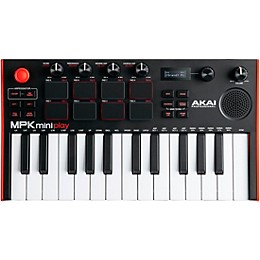
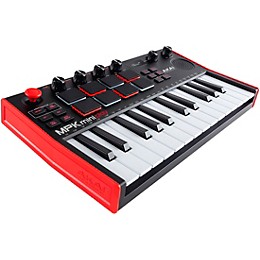
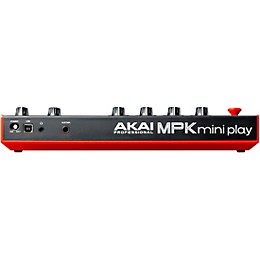
Features
Portable mini keyboard controller
- combines onboard sounds speakers and MIDI control
- delivers over 14 hours of portable music creation and practice
- provides increased output and improved low-end response
- support songwriting with pianos synths drums and more
- delivers improved feel and expressive velocity response
- support responsive finger drumming and sample triggering
- integrates with DAWs for portable music production workflows
- provide hands-on control of effects automation and MIDI parameters
- fits easily into backpacks and portable setups
- expands production with virtual instruments and effects
Specs
General
- Product type: Portable MIDI keyboard controller
- Model: MPK mini Play mk3
- Number of keys: 25
- Key action: Velocity-sensitive Gen 2 mini keybed
- Pads: 8 MPC-style velocity- and pressure-sensitive pads
- Pad banks: 2
- Knobs: 4 assignable rotary encoders
- Additional controls: Pitch/mod joystick, note repeat, full level, tap tempo
- Built-in sounds: 128+ instruments and drum kits
- Speaker: Built-in speaker
- USB: USB-MIDI (class compliant)
- Pedal input: 1/4" sustain pedal input
- Headphone output: 1/8" (3.5 mm)
- Arpeggiator: Yes
- Octave range: 10 octaves via octave buttons
- Power supply: USB bus powered or 4 × AA batteries
- Battery life: 14+ hours
- Design: Portable compact chassis
- Dimensions: 12.5" × 7.0" × 2.3"
- Weight: 1.9 lb.
Featured Articles
Reviews
4.77
13 Reviews
100%
of respondents would recommend this to a friend

Most Liked Positive Review
5
Sweet little tool.
I didn't try it as a midi controller yet, but as a little practice instrument it is just what my pre-teen wanted. If 61-keys keyboards look too overwhelming - this is what you need to stat with! Keys feel nice (I'm an experienced classic piano player, but have small hands). The speaker is loud enough for the bedroom. It works with headphones too (regular gaming computer ones, nothing fancy). I wish it would work with a power supply too, but it doesn't eat batteries too fast, so it's ok. Various sounds are good enough to to keep it fun for kiddo. Drum pads are decent. All in all - great little introductory keyboard to have on your lap to explain music theory to kiddo, goof of with and eventually use as midi controller for DAW.
VS
Most Liked Negative Review
3
Inexpensive
Fun to play
Filters
Best Uses
- Practicing9
- I create beats to incorporate with my DJ Gigs.1
- Writing music1
- Table hooter1
Cons
- Difficult To Use1
- The speaker bites1
Describe Yourself
- Novice6
- Experienced4
- Child1
- Professional Musician1
Pros
- Easy To Use11
- Functional11
- Good Quality9
- Improves Sound3
- Red and Black1
Reviewed by 13 customers
This midi controller is perfect
submitted5 months ago
byDylan
fromHendersonville, nc
Submitted as part of a sweepstakes
Literally an amazing buy, my son is obsessed with it too! We love making music together this is exactly what we needed! #sweepstakes
Yes, would buy this product again
submitted8 months ago
byRich
fromDublin CA
Submitted as part of a sweepstakes
I use it for writing with and away from my DAW as it is very portable.
Inexpensive
submitted9 months ago
byJoseph
fromMaryland
Submitted as part of a sweepstakes
Fun to play
Yes; no question about that fact.
submitted10 months ago
byJohn
fromEnglewood Ohio
Submitted as part of a sweepstakes
I'm using this as a device to write a music score; for a family project. It's going to be used as background music for 3 generations of family members. Each branch or members will a 40+ measure of music and lyrics dedicated to each group. This gear is perfect when used with my laptop. The on board speakers are a major feature that is great to have….as well as the headphone jack. One of the best features being portable and being able to runs on batteries. The features like drum pads,reverb, 100 drum and instrument sounds etc. makes this AKAI Professional-MPK mini play fantastic to use…..This mimi controller is just what my music room needed……………JL
Great controller
Verified Buyer
submitted2 years ago
byPJ
fromRichmond va
Submitted as part of a sweepstakes
I was on the fence between the Akai mini play or the arturia keystep in the same price range. I really like that you don't have to be connected to a computer to use the Akai mini play. The headphone jack and onboard sounds are a huge plus for me. I'm primarily a guitar player so this controller is just to add some arrangement ideas to recorded tracks. This is a great choice for that purpose. The only draw back is that you can't loop the arpeggiator but you can do that in a DAW if needed.
Works perfectly for a church choir
Verified Buyer
submitted2 years ago
byBob
fromCleveland, OH
Submitted as part of a sweepstakes
I primarily use this to give leading notes in a church choir. The compact size allows it to fit on my music stand along with my music, and the volume controls are perfect to enable others to hear without being picked up on the mics. Moreover, we have some microtonal voicings in our music, and the ability to hit those using the control stick is a game-changer. The pads are responsive and sturdy. The octave changer works well and quickly enables great range. There's so much that can be done with this tiny thing, and I can't wait to play with it more!
Q&A
Have a question about this product? Our expert Gear Advisers have the answers.
submitted2 years ago
asked byReddz
fromWaldorf Md
How many tracks can I record
Two tracks.submitted2 years ago
asked byJim
fromSacramento, Ca.
Does it record and store what you play on it? In other words does it store what you create with it?
No, it doesn't.submitted2 years ago
asked byJen
fromArlington, TX
Can you record your piano music and drum beats at the same time? What about vocals?
No, it won't record accompaniment.submitted3 years ago
asked byJoe
fromTexas
Are you able to add/download additional keyboard sounds?
No not on this.submitted3 years ago
asked byEric
fromSavannah, GA
Do you need an external item to create a loop, or does it have that feature built in?
Yes you do. I will have a product specialist contact you with options.submitted3 years ago
asked byKel
fromHanover, PA
Do you need a midi interface to use this or is it ready right out the box to connect to pc?
No, ready to go out of the box.submitted4 years ago
asked byfkntecknologyhater
fromca
Why does it have a speaker if it has no audio output capability
I apologize for the confusion. It has audiosubmitted4 years ago
asked byKim
fromColorado
Is there an AC power cord?
Unfortunately, no. Please give us a call to help you find something – 855-770-3373submitted4 years ago
asked bymordy
frombrooklyn ny
can i use this without connecting it to a computer
No. Please give us a call to better help you out – 855-770-3373submitted4 years ago
asked byCristina
fromNew York
Does this come with sustain pedal? Do you price match?
Yes, we price match. Pedal not included
Be the first to know about exclusive offers, tips and more.

866-498-7882 English
877-687-5402 Español